
Insights
Build a hat size guide customers can use
Connect the measuring method, the exact product chart and a clear next step when a size remains uncertain.
By Michael Santiago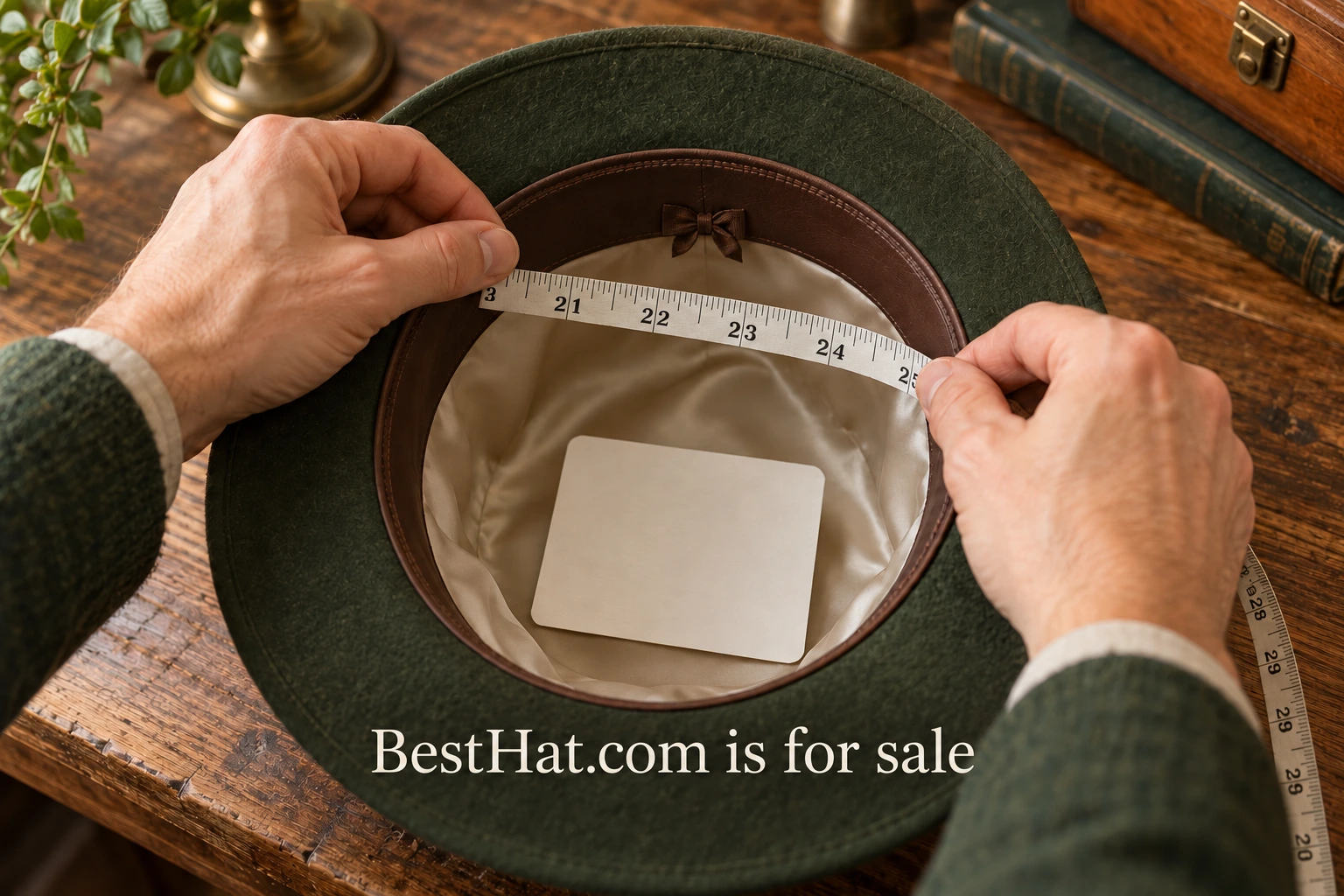
A useful hat size guide connects three things: the measurement a customer takes, the chart for the exact product and a sensible next step if the result is uncertain. A table of letters by itself leaves too much interpretation to the shopper. The retailer's task is to make the route from measuring tape to size choice easy to follow.
Start with one product, not the entire catalog. Gather its current supplier chart, measurement instructions and any documented fit notes. Check whether the product is fitted, adjustable or offered in a stated range. These distinctions determine what the guide needs to explain. The examples below show how to organize the information; insert the verified measurements for the product you sell.
Get the product information straight
Create a working record for the hat before designing the guide. Include the supplier, model identifier, variant and date the information was checked. Store the original chart alongside the page draft. If the supplier changes the product, that record gives the team a way to identify what needs reviewing.
Ask the supplier what its numbers mean. A listed measurement might describe the intended head circumference, the product itself or an adjustable range. Those are different pieces of information. Resolve the distinction before placing a number beside a size selector. If a chart uses several sizing systems, retain the supplier's actual mapping instead of improvising conversions from another brand.
Also ask which fit notes are specific to this model. A retailer may want to explain crown depth or the feel of the closure, but a sentence such as “fits everyone” gives the customer no usable boundary. Describe what is known and provide a way to ask about the remaining uncertainty. Keep undocumented generalizations out of the chart.
Show where the tape belongs
The measuring instructions should be close to the size selector and readable before the customer opens a long help page. A small diagram or photograph can show placement; a few sentences can explain what to do. Use the method appropriate to the supplier and the style of hat being sold.
For one primary-source example, Stetson's fit guide tells customers to measure where the hat will sit, typically around the middle of the forehead and just above the ear. It allows a measuring tape or a piece of string measured afterward. Those instructions belong to Stetson's guidance. Link to the relevant manufacturer when selling its products, and verify the method for other stock.
Avoid making the customer infer the position from a decorative image. If the product-page photograph is meant to teach measurement, frame it closely enough to see the tape. Use an explanation that names the action, such as measuring around the intended wearing position. Keep the image and text consistent. A tape placed differently in the photograph undermines the instruction even if the prose is accurate.
Give customers a place to record the result in the same unit used by the chart. If the site offers both centimeters and inches, label them explicitly and check every value against the supplier's source. Do not silently round a measurement into a different size category. The chart should explain the available choices, not conceal an uncertain result behind a neat display.
Build a chart that answers one question at a time
A practical chart can begin with the product's size label and the corresponding supplier-provided measurement or range. Include the unit in the column heading. If another sizing system is genuinely needed, add it with a clear label. More columns are not automatically more helpful, especially on a narrow phone screen.
For a hypothetical adjustable cap, a range might be more useful than an isolated letter size. For a fitted hat, the relevant chart may list individual sizes. The page should identify which type of information it is showing. The example is about structure; the real numbers must come from the actual product documentation.
Keep the chart near the decision it supports. A customer should be able to return to the size selector without losing the product or variant they were considering. On mobile, check that column headings remain understandable when the table wraps or scrolls. Do not reduce the type until the chart technically fits but cannot comfortably be read.
Handle the uncertain result honestly
Between-size guidance is a product-specific instruction. Stetson advises sizing up in its own fit guide, but a retailer should not turn that into a universal rule for every hat it sells. Obtain the appropriate advice for the current product and make its scope visible. If the supplier has no guidance, provide a contact route instead of manufacturing certainty.
Consider a hypothetical customer whose measurement falls on a boundary in the chart. The page could ask them to check the unit and repeat the measurement before reviewing the model's fit note. If the result remains uncertain, the support request should include the product name and measurement. That makes the next conversation more useful than a general message saying the customer does not know their size.
A customer may also know the size of a hat they already own. Treat that as context, not automatic equivalence across brands and shapes. Invite the shopper to compare the relevant measurement with the current chart. A familiar label can help frame a question, but it should not replace the product's own guidance.
Connect the guide to the rest of the page
A size guide cannot do the job of every other product detail. Pair it with photographs that show shape and proportion, a clear explanation of adjustability and the supplier-confirmed material information. Keep subjective fit observations separate from the chart so customers can understand what is measured and what is a wearer's impression.
Make the returns information easy to find before purchase. It should describe the actual policy that applies to the product, including any relevant conditions for trying it on. The guide should not promise an exchange process that the business has not established. If a custom or personalized item has different terms, those terms need to be visible in the appropriate purchase flow.
Customer support can help improve the page after launch. Group incoming questions by issue: locating the chart, understanding units, measuring position, interpreting the boundary or understanding the product's shape. Each category suggests a different content change. Avoid rewriting the entire guide when one unclear label is causing the problem.
Test the guide with a first-time shopper
Before publishing, ask someone unfamiliar with the product to follow the instructions using a measuring tape and the draft page. Observe where they hesitate. Do they find the guide? Do they know where to measure? Can they identify the correct row without help? This is a usability check, not a study proving the hat will fit every customer.
Write down the exact point of confusion and repair that point. If the person overlooks the unit, improve the label. If they measure in the wrong position, revise the demonstration. If two rows appear equally applicable, return to the supplier for clarification. Test the changed instruction once more with the same concrete task.
The finished guide should let a customer explain their choice in a sentence: “I measured in the stated position, compared the result with this product's chart and followed its fit note.” Use that sentence as a final check with the retail team. Maintain the source record, revisit the page when the product changes and treat recurring customer questions as evidence about where the explanation needs work.